
Duro changelog
Component Preview Hovercards (2.1.4)
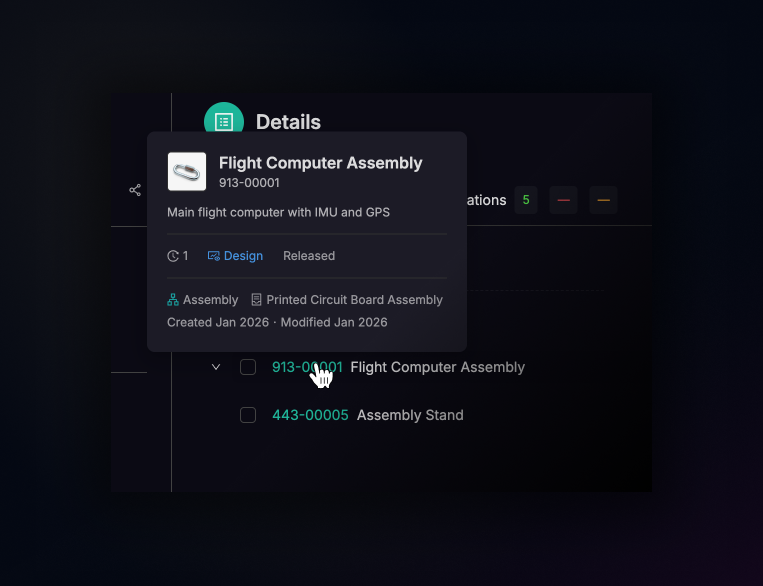
Every time you click a CPN to check a part's details, you lose your place. Whether you're reviewing an assembly, scanning a dashboard, or deep in a change order discussion — context switching adds up fast.
Now, hovering over any CPN link surfaces an instant preview hovercard with the information you actually need: thumbnail, description, revision, status, category, and dates. No navigation required.
Instant context, everywhere. Hovercards appear across assemblies, side drawers, dashboard pages, ECO validations, and even inline CPN mentions in change order comments and replies. Anywhere a part number is linked, the preview follows.
Stay in the conversation. Referencing a component mid-discussion no longer means opening a new tab to confirm its status or revision. Hover, glance, and continue — your train of thought stays intact.
Built for speed, not interruption. The card appears on hover and disappears when you move on. No clicks, no modals, no loading screens. Just the right amount of detail at exactly the moment you need it.
We designed hovercards around a simple principle: the less you have to leave your current view, the faster you work.